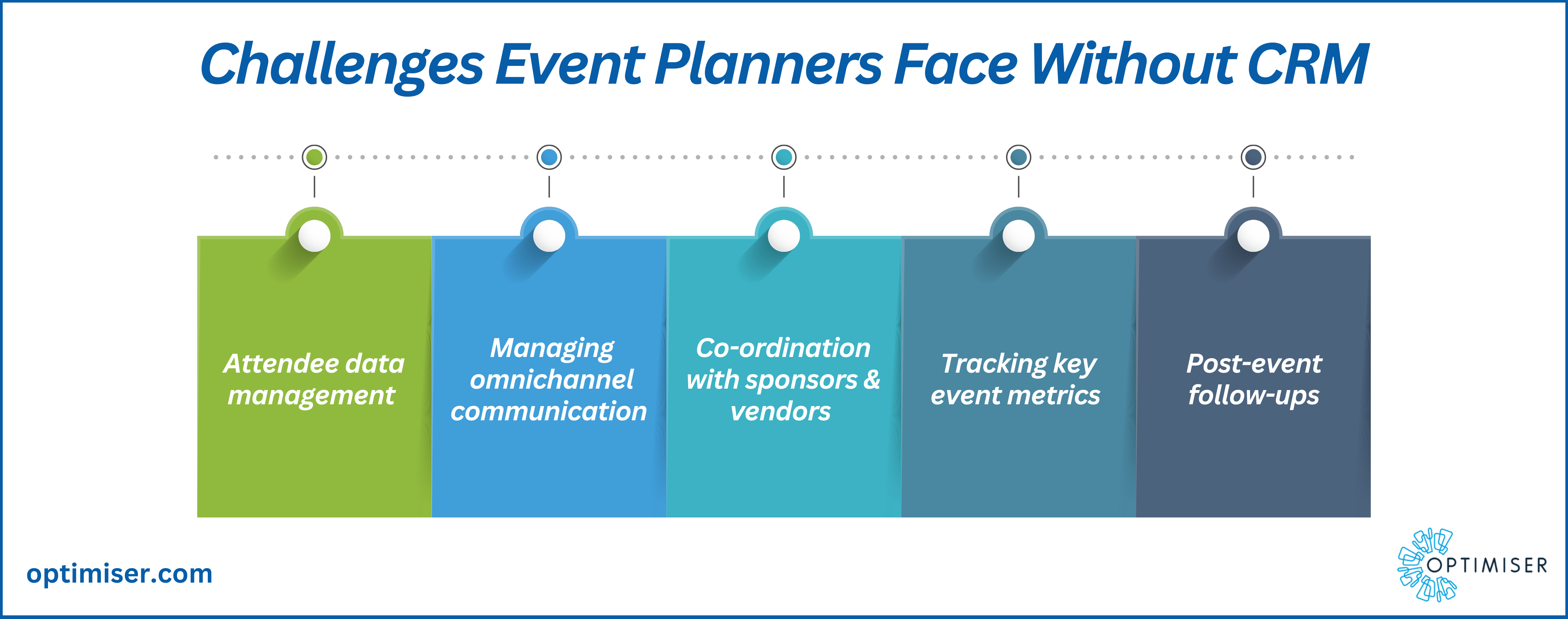
Choosing event management capabilities within CRM software requires evaluating whether to use native built-in event modules or integrate specialized event platforms into your existing database. The key selection criteria center on data synchronization depth, registration workflows, attendee lead scoring, check-in execution, and direct ROI attribution within your sales pipeline reporting.
Understanding Event Management Capabilities in Modern CRM Systems
Event management within Customer Relationship Management (CRM) software bridges the gap between experiential marketing and sales execution. Traditionally, event organizers managed registrations, badge printing, and attendee communication in dedicated, standalone software. While effective for event logistics, this approach created data silos. Contact details, session interactions, and engagement levels remained isolated from sales reps and account executives who needed those insights to close deals.
Unifying event workflows within a CRM platform consolidates lead capture, communications, attendance tracking, and revenue attribution into a single source of customer data. When an enterprise host runs an executive roundtable, virtual product launch, or industry conference, every interaction—from the initial landing page click to post-event survey responses—populates the contact record in real time.
In modern business environments, events fall into four distinct operational models:
- In-Person Field Events: Local workshops, VIP dinners, and large trade shows requiring physical check-in, badge scanning, and mobile app support.
- Virtual Webinars and Conferences: Online broadcasts requiring automated calendar invitations, webinar join-link generation, and digital engagement tracking (such as session watch time and poll participation).
- Hybrid Summits: Multi-track gatherings combining physical venue logistics with simultaneous digital streaming infrastructure.
- Internal and Customer Training Workshops: Customer success sessions that track customer product adoption, user certification, and ongoing training participation.
Selecting the right solution requires deciding whether your operational needs are best served by native CRM functionality or by connecting a specialized event management platform to your CRM engine.
Native CRM Modules vs. Integrated Third-Party Event Platforms
When adding event functionality to your revenue operations tech stack, organizations generally select between two architectural strategies: using native event management tools built into the CRM or integrating a third-party event platform via Application Programming Interfaces (APIs).
Data & Workflow Architecture:
- Native CRM Module
- Single Data Engine
- Instant Lead Scoring
- Universal Reporting
- Basic Event Features
- Third-Party Event Platform
- Specialized Event Tools
- Dual Databases
- API / Webhook Sync Engine
- Advanced Event Logistics
Native CRM Event Modules
Native event management tools exist directly inside the CRM infrastructure. Platforms like HubSpot, Zoho (through Zoho Backstage), and Salesforce (via Marketing Cloud or native Custom Objects) offer built-in registration forms, automated campaign enrollment, and contact timeline updates.
Advantages:
- Zero synchronization delays; data updates instantly across contact records.
- Native access to existing email templates, automation workflows, and active sales pipelines.
- Uniform security permissions, user roles, and compliance policies (such as GDPR and CCPA consent records).
- Lower overall administrative overhead since system administrators manage only one platform.
Limitations:
- Basic registration and ticketing features, often lacking support for complex tier structures or seat mapping.
- Minimal native support for advanced onsite logistics, such as automated badge printing, session access control, or floor plan design.
- Restricted multi-track agenda management for complex conferences.
Integrated Third-Party Event Platforms
Integrated solutions connect dedicated event platforms (such as Cvent, Bizzabo, or Eventbrite) to platforms like Salesforce, Microsoft Dynamics 365, or HubSpot using pre-built integrations, middleware, or custom webhooks.
Advantages:
- Deep functionality for complex, multi-day, multi-track conferences and trade shows.
- Dedicated attendee mobile apps, interactive venue floor plans, and specialized onsite check-in hardware support.
- Advanced financial management, including multi-currency payment gateways, tax calculation, and refund processing.
Limitations:
- Vulnerability to sync failures, schema mismatches, and API rate limit constraints.
- Potential creation of duplicate contact records if identity resolution rules are misconfigured.
- Higher software and integration maintenance costs across multiple vendors.

Critical Features Checklist for CRM Event Management
To evaluate any candidate system, measure its capabilities against the key functional areas required for event execution and operational management:
CRM Event Capability Matrix:
- Registration & Forms
- Dynamic Logic
- Payment Gateways
- Calendar Auto-sync
- Live Attendance
- QR Code Scanning
- Mobile Check-in
- Instant Sales Alerts
- Revenue Attribution
- Pipeline Creation
- Multi-touch Scoring
- ROI Dashboarding
1. Form Building and Registration Management
The software must handle conditional logic to support different attendee profiles (such as speakers, sponsors, VIPs, and general attendees).
- Dynamic registration forms that pre-fill known contact details for existing CRM contacts.
- Capacity limits, automated waitlisting, and registration windows.
- Support for group registrations and corporate ticket purchases.
2. Payment Processing and Financial Compliance
For paid events, seamless payment handling prevents drop-offs during registration.
- Built-in integrations with major payment gateways (Stripe, PayPal, Adyen).
- Automated tax collection, invoice generation, and refund workflows.
- PCI-DSS compliance standards for secure payment card processing.
3. Automated Communication and Calendar Synchronization
Clear communication drives event attendance and reduces no-show rates.
- Automated trigger emails for registration confirmations, ticket delivery, and reminder notifications.
- Dynamic calendar file generation (.ics files) compatible with Google Calendar, Microsoft Outlook, and Apple Calendar.
- SMS reminder integration for high-priority announcements and onsite schedule changes.
4. Onsite Attendance Tracking and Mobile Execution
Physical events require fast, reliable check-in workflows to prevent venue bottlenecks.
- Mobile app check-in capabilities with support for offline functionality if venue Wi-Fi fails.
- QR code scanning for digital or printed ticket validation.
- Real-time attendee arrival alerts sent directly to account owners via CRM notifications, Slack, or Microsoft Teams.
5. Lead Scoring and Pipeline Automation
Event participation provides valuable intent data for sales teams.
- Automated score increases assigned to contacts based on registration, physical check-in, or session duration.
- Automated task assignment for account executives to follow up with key target accounts within set SLAs.
- Campaign member status tracking (e.g., Invited, Registered, Attended, No-Show, Cancelled).
6. Pipeline Attribution and ROI Analytics
To justify event budgets, leadership teams must connect attendance to financial performance.
- Multi-touch attribution modeling linking event check-ins to newly created or accelerated pipeline opportunities.
- Dashboard reporting showing total spend, revenue generated, cost per attendee, and pipeline conversion rates.
Step-by-Step Decision Framework
Selecting the right event management structure within your CRM requires a structured evaluation process across five operational phases.
- Step 1: Audit Event Needs
- Step 2: Map Data Schema
- Step 3: Test Sync & Workflows
- Step 4: Evaluate UX
- Step 5: TCO Analysis
Step 1: Audit Event Volume, Complexity, and Formats
Document your organization's annual event strategy. Categorize planned events by scale and delivery channel:
- Low-complexity events: Monthly webinars, regional breakfast seminars, small customer advisory boards. Recommendation: Native CRM modules usually handle these efficiently without extra vendor costs.
- High-complexity events: Annual user conferences, multi-day expos, global summit series. Recommendation: Integrated specialist event software is typically required to manage detailed logistics and badge printing.
Step 2: Map the End-to-End Data Lifecycle
Trace how an attendee's data flows from initial registration to post-event reporting:
- Lead Creation: Does the system check for existing contact records using email address matching before creating duplicate entries?
- Field Mapping: Do custom registration fields (such as dietary requirements, job function, or product interest) map to standard or custom CRM properties?
- Consent Management: How are marketing opt-in preferences captured, logged, and synchronized across systems to ensure privacy compliance?
Step 3: Evaluate Technical Architecture and Integration Stability
If choosing an integrated third-party platform, evaluate the integration architecture:
- Is the integration native (built and supported directly by the vendors), or does it rely on third-party connectors or custom API endpoints?
- Does data synchronize in real time, or does it run on scheduled batch updates?
- How does the system resolve sync errors when API rate limits are hit or required fields are missing?
Step 4: Test User Experience for Organizers and Attendees
Request test environments (sandboxes) from software providers to evaluate real-world usability:
- Attendee UX: Is the registration process mobile-optimized, fast, and simple to complete?
- Organizer UX: How easily can a marketing operational specialist deploy a new event campaign without needing custom code or developer support?
- Sales Representative UX: Can account executives quickly view their assignees' event registrations and live check-in statuses within standard CRM activity feeds?
Step 5: Calculate Total Cost of Ownership (TCO)
Look beyond baseline software subscription fees to project true operational costs:
- Base subscription cost for CRM event add-ons versus standalone event software licensing.
- Per-registration or payment gateway transaction fees.
- Hardware expenses for onsite badge printers, scanning devices, and kiosk displays.
- Professional services, implementation support, and custom API maintenance costs.
CRM Event Management Deployment Matrix
The following table compares the three primary architecture patterns for managing events within a CRM ecosystem:
| Evaluation Criteria | Native CRM Event Module | Integrated Specialist Platform | Middleware / Connector Plug-in |
|---|---|---|---|
| Primary Use Case | Webinars, small workshops, field events | Complex multi-day conferences, trade shows | Ad-hoc events, rapid low-code setup |
| Implementation Complexity | Low (uses existing CRM architecture) | High (requires field mapping & API configuration) | Moderate (requires Zapier/Make flow setup) |
| Data Synchronization | Instantaneous (single data store) | Near real-time via API/Webhooks | Delayed batch sync or trigger-dependent |
| Onsite Hardware Support | Limited (basic mobile app scanning) | Robust (badge printing, kiosk check-in) | Rare (manual list check-in or simple app) |
| Duplicate Prevention | High (native record matching rules apply) | Moderate (depends on integration logic) | Risk of duplicates if matching logic is basic |
| Event Personalization | Moderate (standard landing page builders) | High (custom attendee hubs & branded apps) | Low to Moderate (template constrained) |
| Lead Scoring Speed | Immediate | Requires API transfer completion | Subject to middleware execution delays |
| Relative TCO | Low to Moderate | High | Low |
Common Pitfalls When Selecting CRM Event Management
Organizations frequently encounter operational issues during event software rollouts. Plan ahead to avoid these common technical and strategic pitfalls:
1. Data Duplication and Schema Corruption
Connecting external registration pages to a CRM without setting strict identity resolution rules leads to duplicate database records. Ensure your system uses primary identifiers—typically work email addresses—to match incoming event registrants against existing leads, contacts, and target account profiles before creating new entries.
2. Neglecting Offline Functionality at Physical Venues
Convention centers and hotel ballrooms often experience network congestion or poor Wi-Fi connectivity. If your onsite check-in strategy relies on live CRM cloud database calls without offline app caching, attendee queues will stall. Choose solutions that support local offline device caching and automatically sync check-in records once connection is restored.
3. Failing to Define Post-Event Lead Routing Protocols
Capturing attendee data provides little business value if follow-up workflows are delayed. Define clear SLAs (Service Level Agreements) for sales outreach before the event starts. Configure automated workflows to immediately assign leads, notify account owners, and place non-responsive attendees into appropriate post-event email sequences based on their attendance status.
4. Over-Customizing CRM Schemas
Creating dozens of unique custom fields or custom objects for every distinct event inflates database technical debt, complicates reporting, and degrades system performance. Instead, build a standardized, reusable event data architecture using consistent custom objects (such as Event, Registration, and Session Attendance) that serve all event types across your business.
Proving Event ROI Within Your CRM
The primary business justification for centralizing event management within your CRM software is establishing verifiable revenue attribution. Event performance should be measured across the entire buyer journey:
Event ROI Attribution Pipeline:
- Attendee Check-In
- Real-time Lead Score Boost (+20 Pts)
- Dynamic CRM Task
- Automated Rep SLA Follow-Up (24 Hours)
- Pipeline Creation
- Opportunity Linked to Event Campaign
Pipeline Creation vs. Pipeline Acceleration
Evaluate event success using two core financial metrics:
- Sourced Pipeline (Net-New Opportunities): Opportunities opened for previously unengaged contacts within a defined window (e.g., 30 to 60 days) following their attendance at an event.
- Accelerated Pipeline (Existing Deals): Open sales opportunities that moved to a later deal stage or closed faster after key decision-makers attended an event.
Attribution Modeling Strategies
Configure your CRM reporting to reflect realistic multi-touch attribution:
- First-Touch Attribution: Credits the event for introducing brand-new leads to the sales funnel.
- Last-Touch Attribution: Attributes conversion directly to the event if it was the final touchpoint before an opportunity was created.
- Multi-Touch / W-Shaped Attribution: Distributes deal revenue across early research, event participation, and technical validation phases, offering a balanced view of how events contribute to closed-won revenue alongside digital campaigns.
Frequently Asked Questions
Should small businesses use a native CRM event module or an external platform?
Small businesses with simple event programs (such as monthly webinars or small customer meetups) usually benefit from using native CRM event modules or basic integrated plugins. Native modules reduce platform management costs, prevent data sync errors, and require minimal technical setup, allowing lean marketing teams to operate efficiently.
How do CRM systems handle virtual webinar integration versus in-person events?
Virtual webinar integrations rely on webhooks and API connections to sync registration forms, issue unique attendee join links, and pull back digital engagement metrics like total watch time, poll responses, and Q&A submissions. In-person events, by contrast, depend on hardware-assisted entry tracking, mobile app QR code scanning, badge printing, and offline record caching at physical venues.
What data protection rules apply to event attendee data stored in a CRM?
Event registration forms collect personal identifiable information (PII), making them subject to global privacy regulations such as GDPR, CCPA, and CPRA. CRM event forms must explicitly capture legal consent for data processing and marketing communications, provide clear privacy policy links, and enforce data retention rules that respect attendee opt-out requests across all synchronized systems.
How can sales teams view real-time prospect check-ins during an event?
Real-time visibility requires configuring instant webhooks or native event triggers inside your CRM. When an attendee's badge or QR code is scanned at registration, the system updates the contact record status to "Attended." This trigger can automatically send an instant push notification via the CRM mobile app, post a message to a dedicated Slack/Teams sales channel, or generate a high-priority follow-up task for the assigned account executive.
What is the typical timeframe for implementing enterprise CRM event management software?
Deploying native CRM event features for basic webinars can take as little as 1 to 2 weeks. However, an enterprise-grade integration involving specialized third-party platforms (like Cvent or Bizzabo), custom object schema design, dynamic lead routing logic, and onsite hardware testing typically requires 8 to 12 weeks of implementation and user acceptance testing.
Next Actions for CRM and Event Operations Teams
- Conduct a Feature Audit: Convene representatives from Marketing Operations, Sales Operations, and Event Logistics to document your current technology stack, data pain points, and upcoming event requirements.
- Define Data Architecture Standards: Establish universal field mapping standards, duplicate resolution rules, and consent management frameworks across your CRM and registration tools.
- Run a Pilot Implementation: Test candidate software or native CRM features on a smaller, low-risk event (such as a regional workshop) to validate data flows, team workflows, and attendee experiences before deploying at major enterprise conferences.
- Build Unified Executive Dashboards: Design standard CRM dashboards that calculate total event spend, sourced pipeline, deal acceleration, and cost-per-acquisition metrics for ongoing executive review.
Image Gallery
Select an image to open it in a new tab.



Ingrid Bjornson
Global Cyber Policy and Regulation Analyst
